
How to Fine-Tune LLama3
A Step-by-Step Guide with Emissary
2nd Jul
4 mins
GUIDE
If you are frustrated with the complexities of fine-tuning LLama3, you're in the right place. We know the struggle - hours spent wrestling with code, battling compatibility issues, and questioning if it's all worth it.
But what if fine-tuning LLama3 could be as simple and effortless as a few clicks?
This guide introduces a streamlined approach to LLama3 fine-tuning with the Emissary platform, from navigating the dashboard to deploying your customized model. Whether you're an AI leader pushing boundaries, a startup racing against time, or an ML Engineer seeking that perfect model fit, Emissary will transform your fine-tuning experience. No more technical roadblocks or resource drain. Just straightforward and seamless customization that lets you focus on what really matters - leveraging LLama3's capabilities for your unique needs.
Let's start fine-tuning your model!
1: Navigating to the dashboard
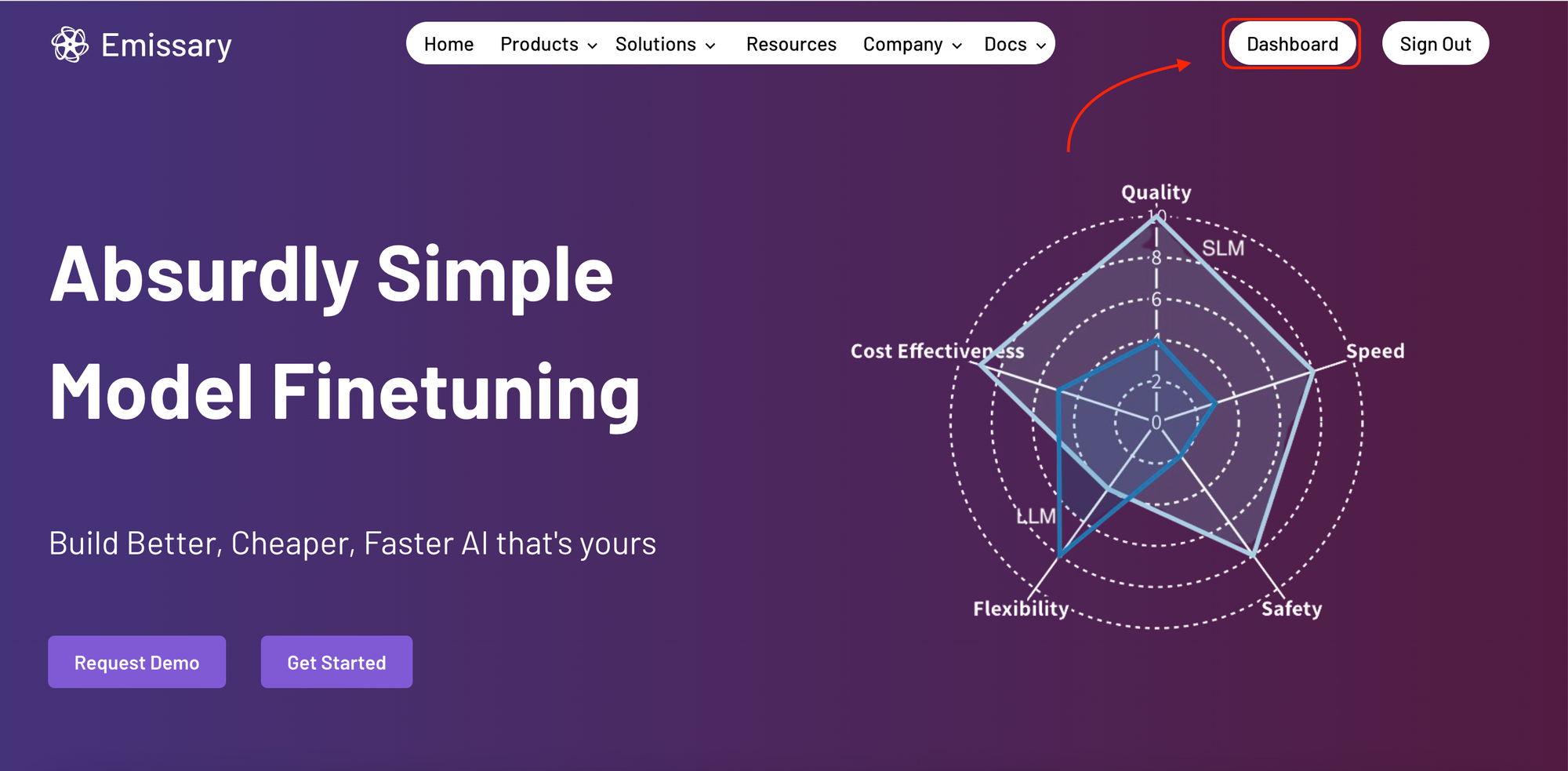
Upon logging into Emissary, you'll be greeted by the home page. Start by clicking on the Dashboard button. This is your gateway to accessing model services and beginning your journey into model fine-tuning.
2: Accessing Model Services
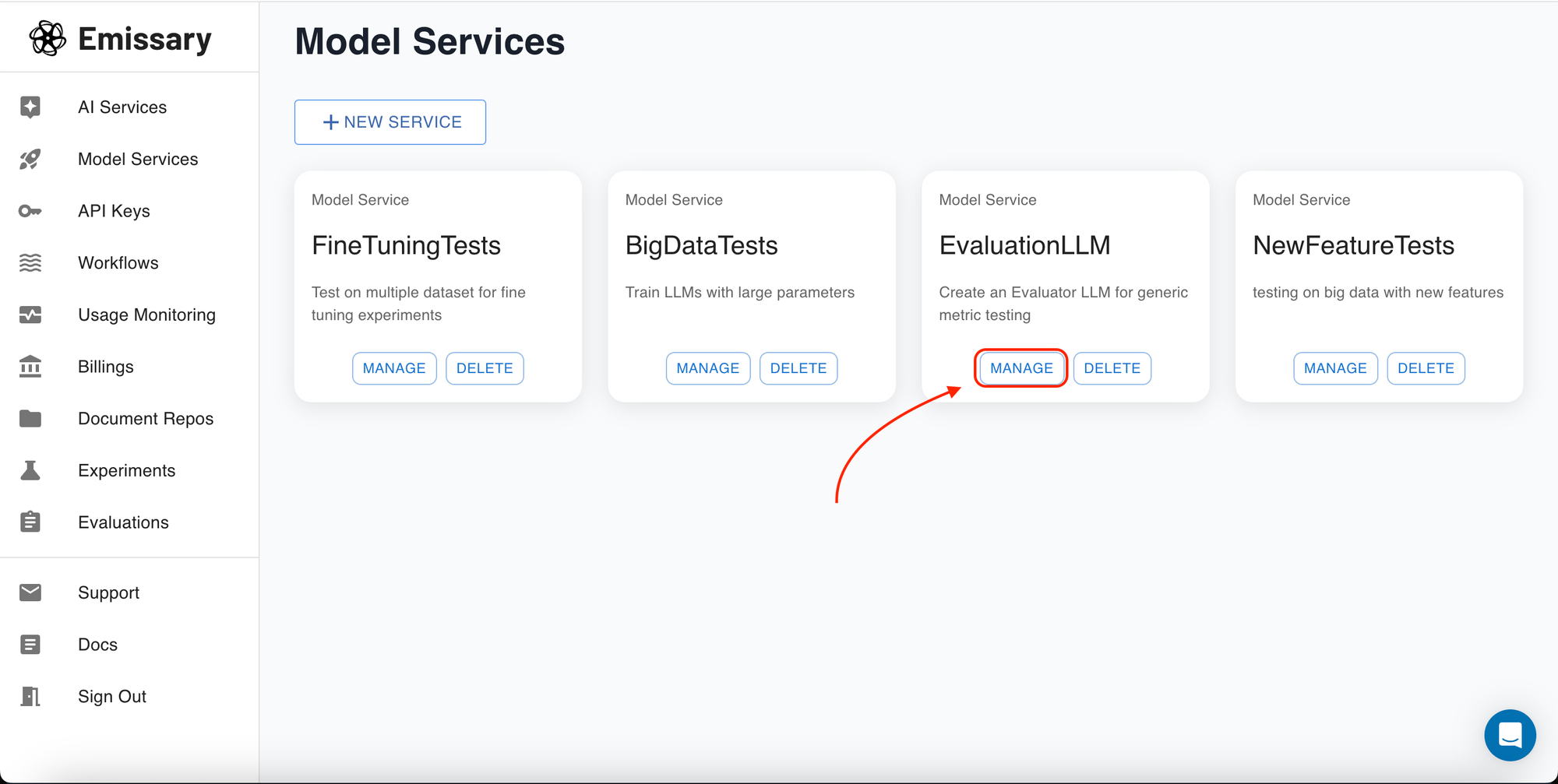
In the Dashboard, you'll find an overview of your current projects and the ability to create new model services. This panel is your operational hub for initiating new models or managing existing ones.
3: Managing Your Project
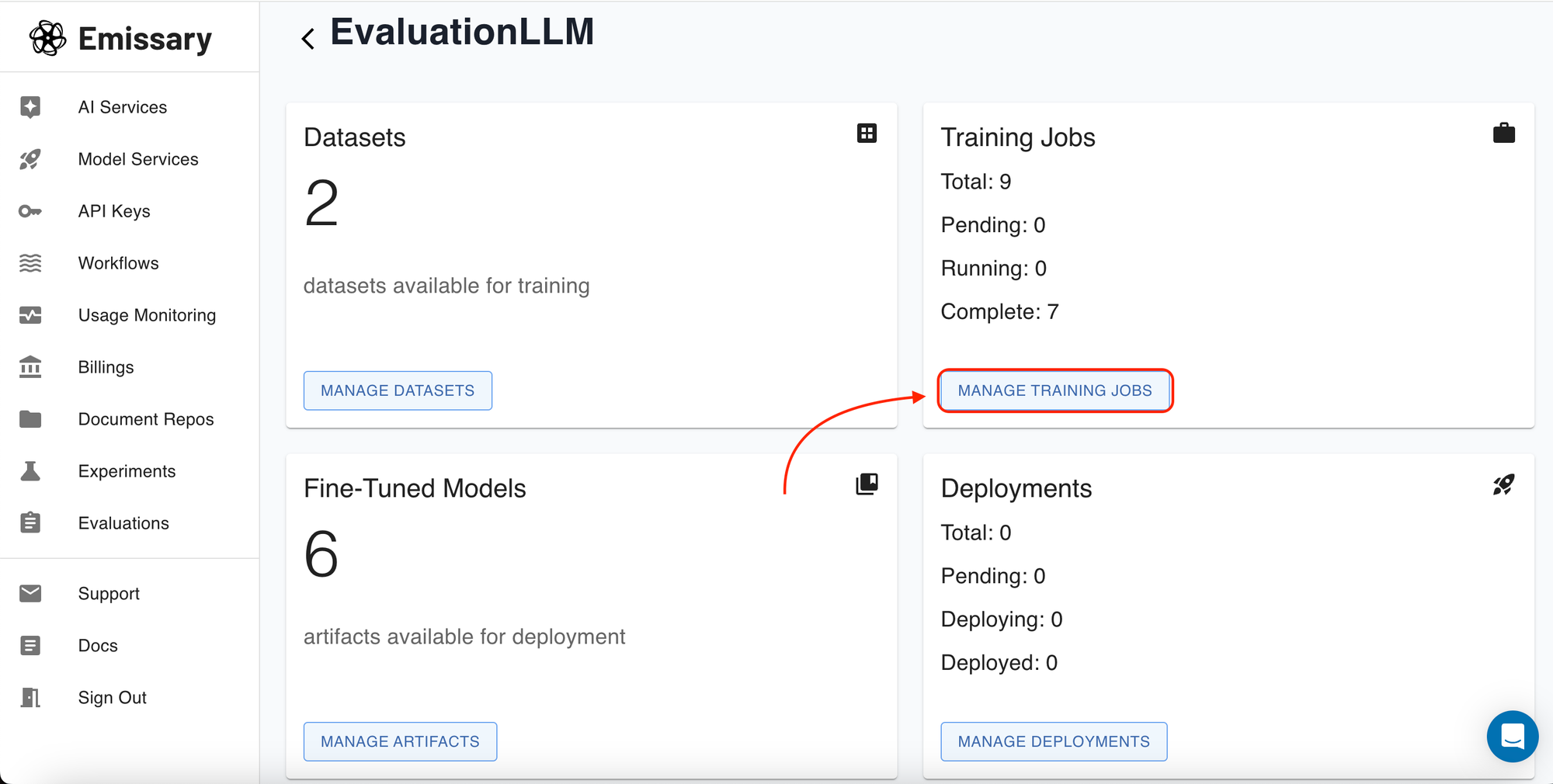
Selecting a specific project will take you to its dashboard, where you can manage datasets, training jobs, and evaluations. This view is crucial for overseeing the development and refinement of your models.
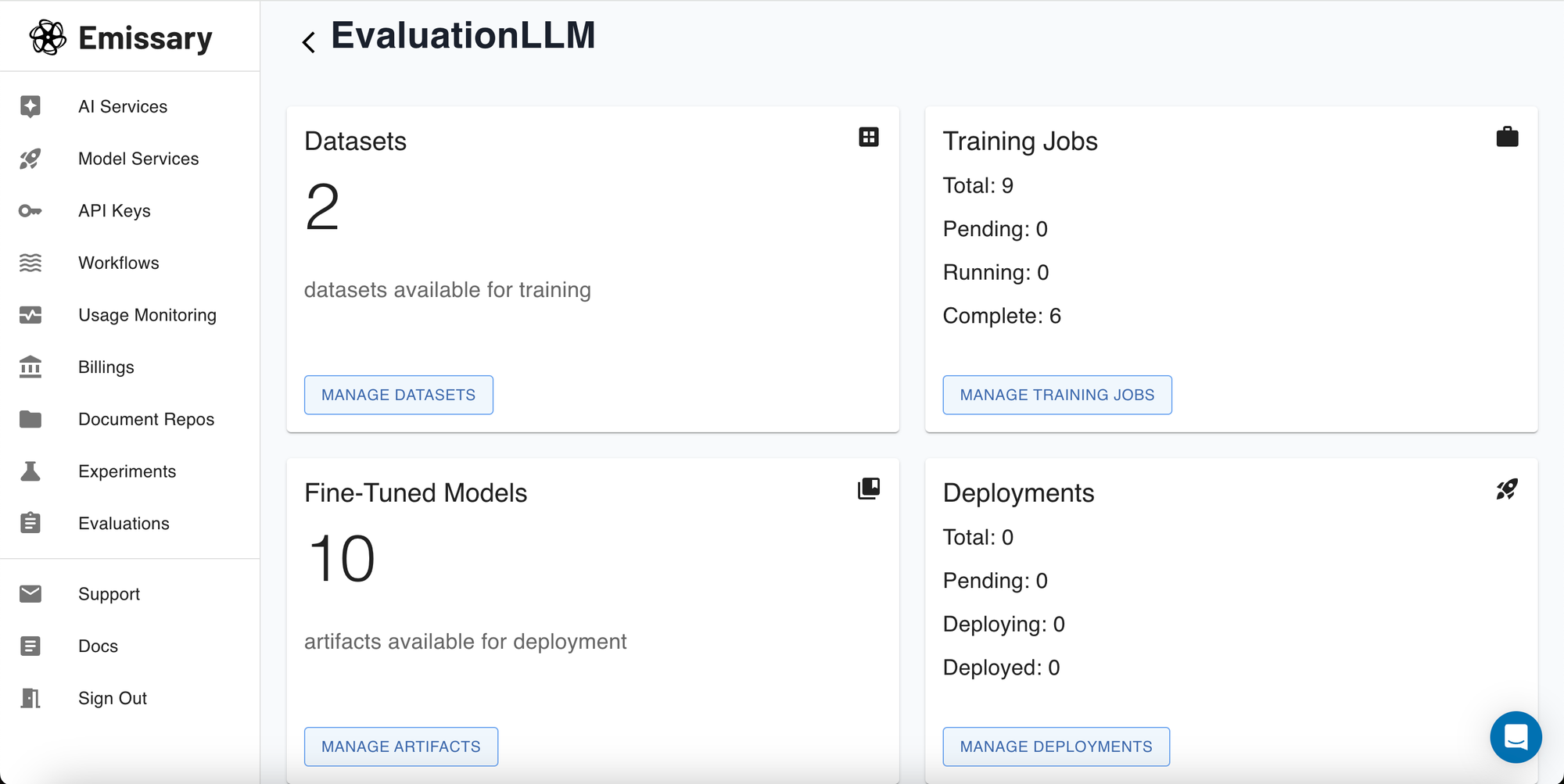
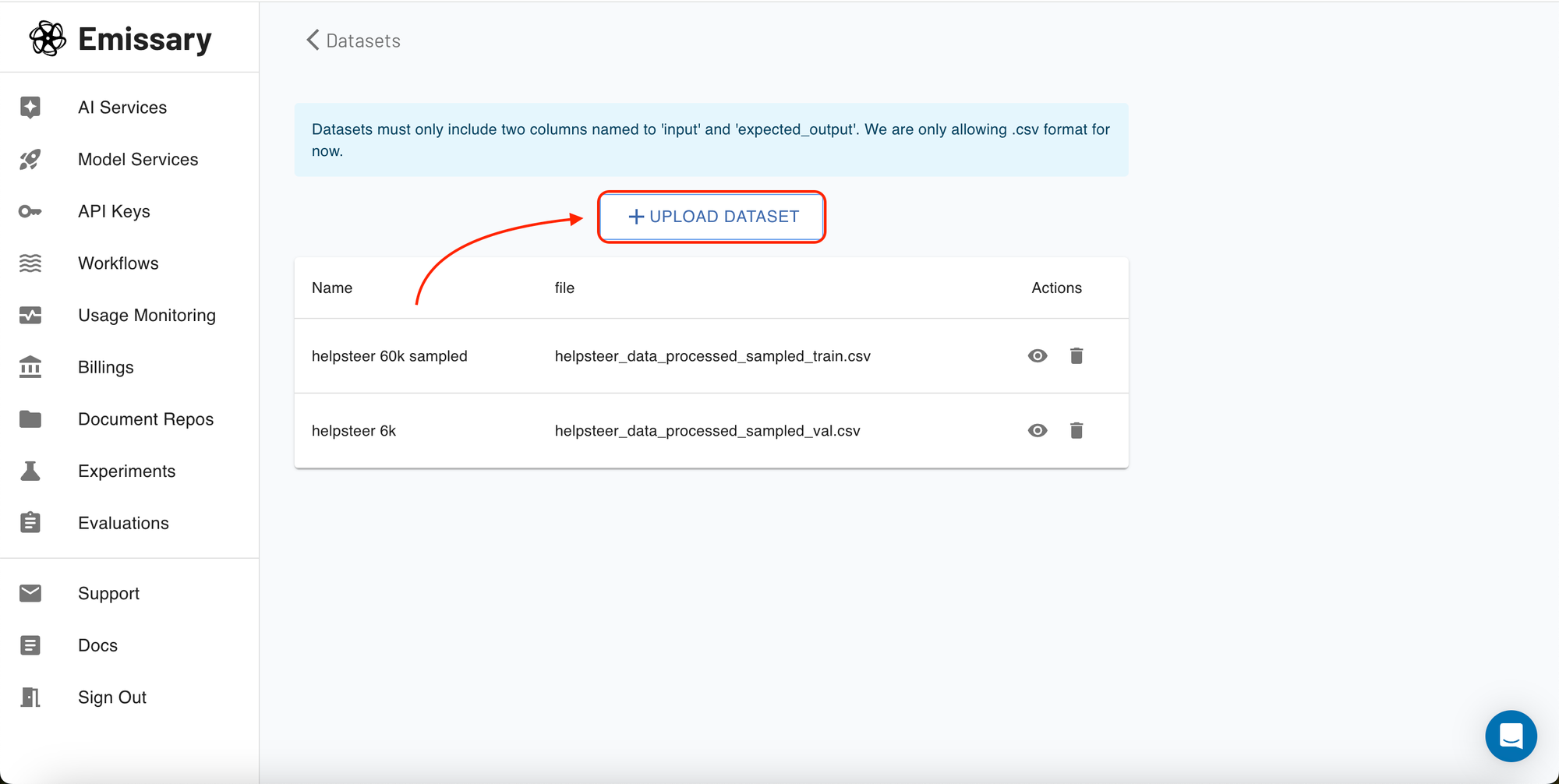
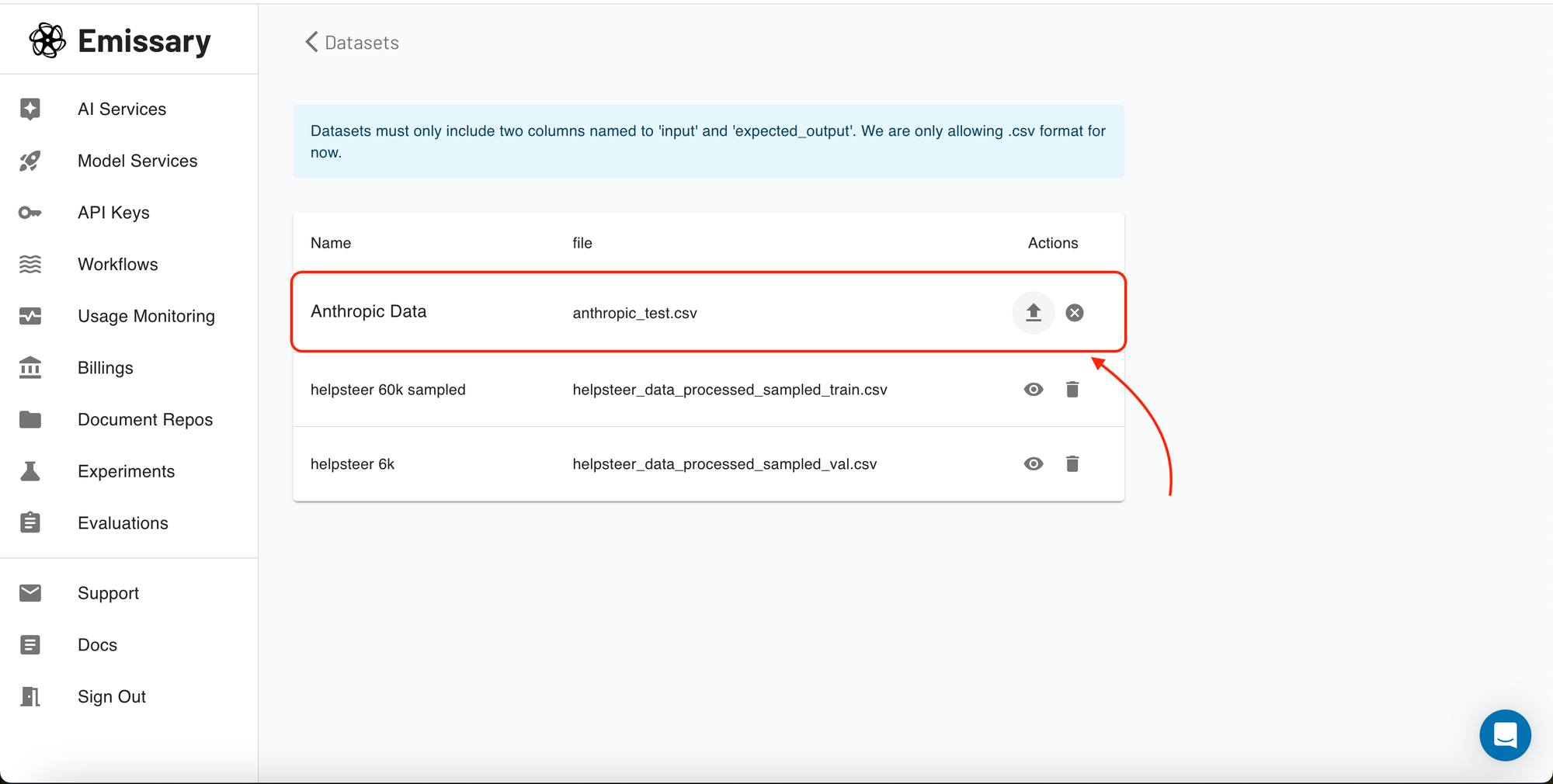
Once you select a project, you'll enter its specific dashboard. Here, manage everything from data uploads to training job configurations. Start by uploading your datasets, which should include paired examples of input texts and their expected outputs in a supported format (CSV).
You can upload your datasets under the Datasets section. All you need to do is provide your data with input and expected output. That's it!!
4: Creating and Managing Training Jobs
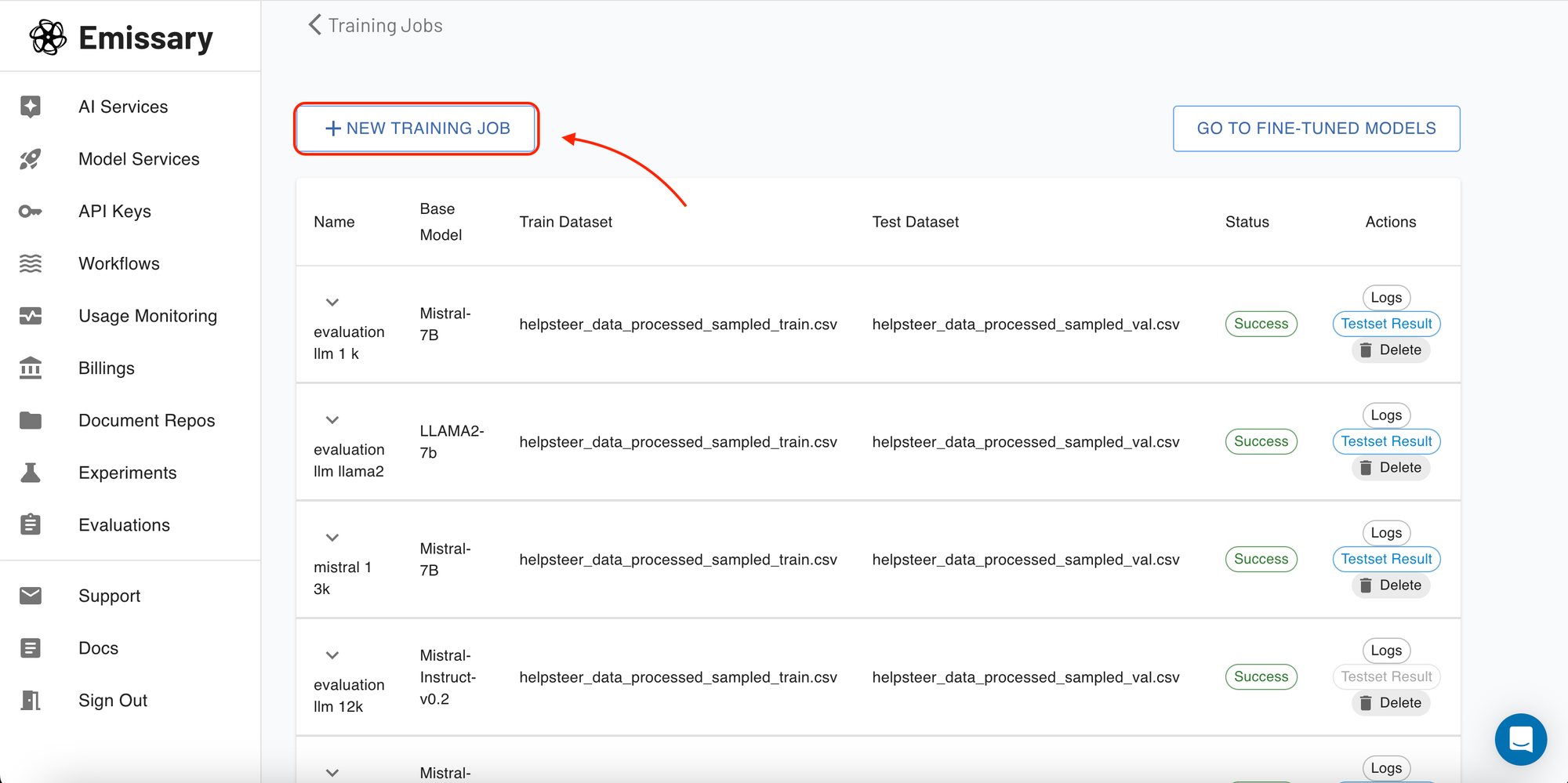
To start a new training job or monitor existing ones, head to the 'Training Jobs' section. Here you can see all your experiments and their statuses—whether they're pending, running, or completed.
5: Setting Up a New Training Job for Llama 3
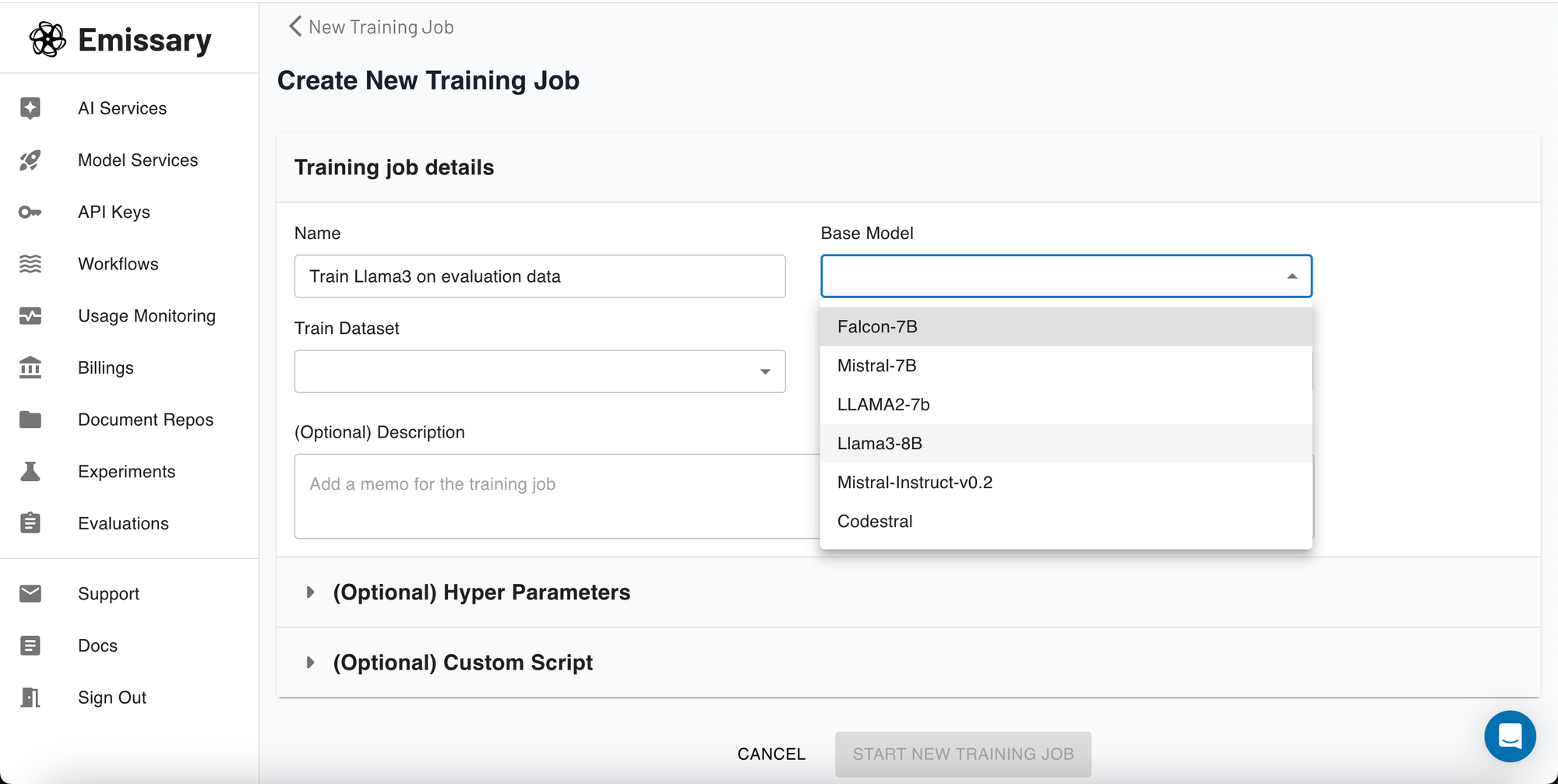
When creating a new training job, you'll specify the job's name and choose Llama3 from several available options. This step is pivotal as it sets the foundation for your model's learning process.
6: Configuring Hyperparameters (Optional)
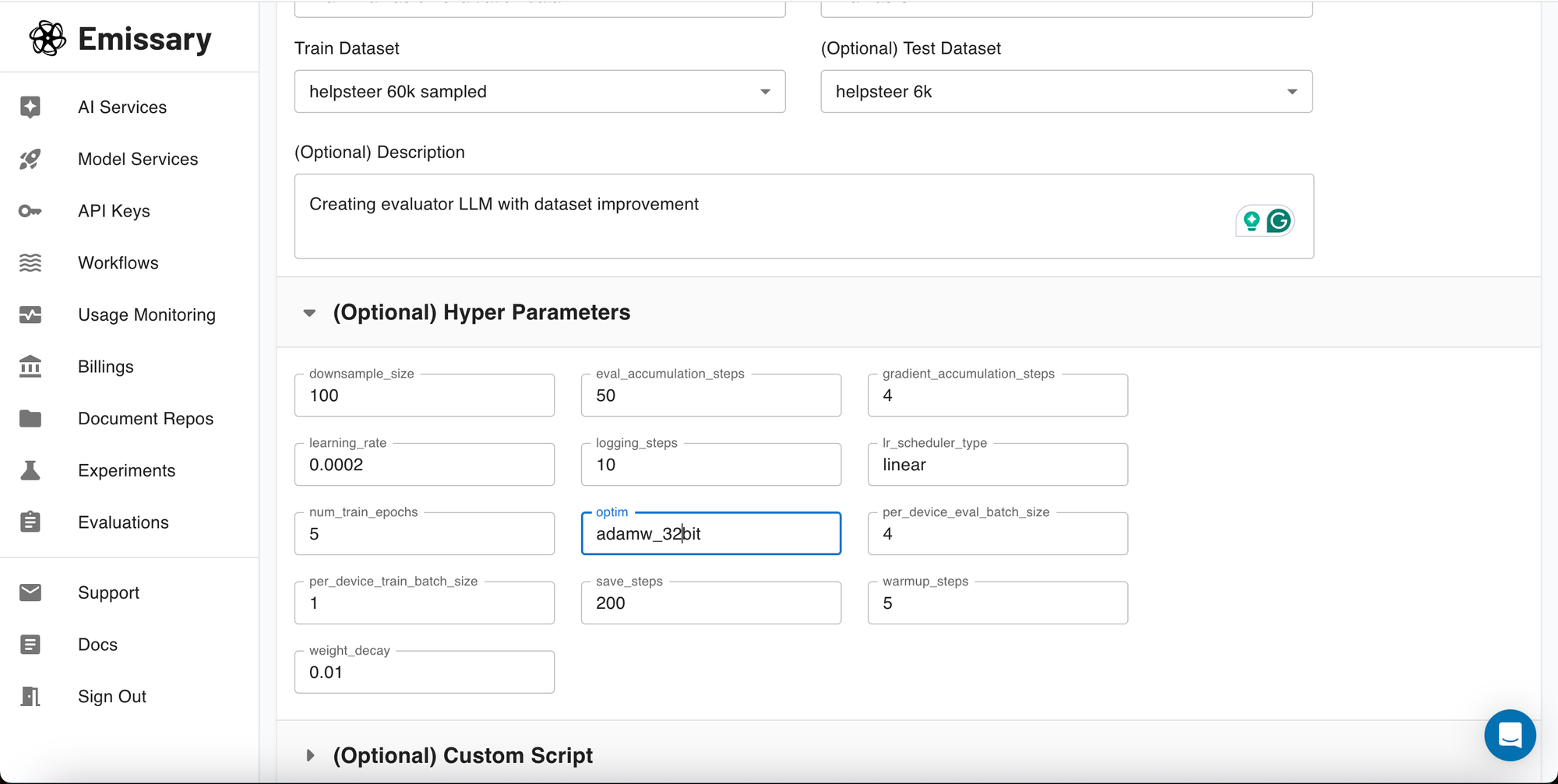
Adjusting hyperparameters can drastically affect your model’s learning efficiency and outcome. For instance, a lower learning rate might slow down the training but can lead to more precise adjustments in the model’s weights, potentially resulting in a higher-quality model. While we have set the default hyperparameters using optimized values, you can still play around with settings like learning rate, batch size, and the number of training epochs to further optimize your model's training. If unsure, it's safe to use the parameters as they are initially set.
7: Customizing the Training Script (Optional)
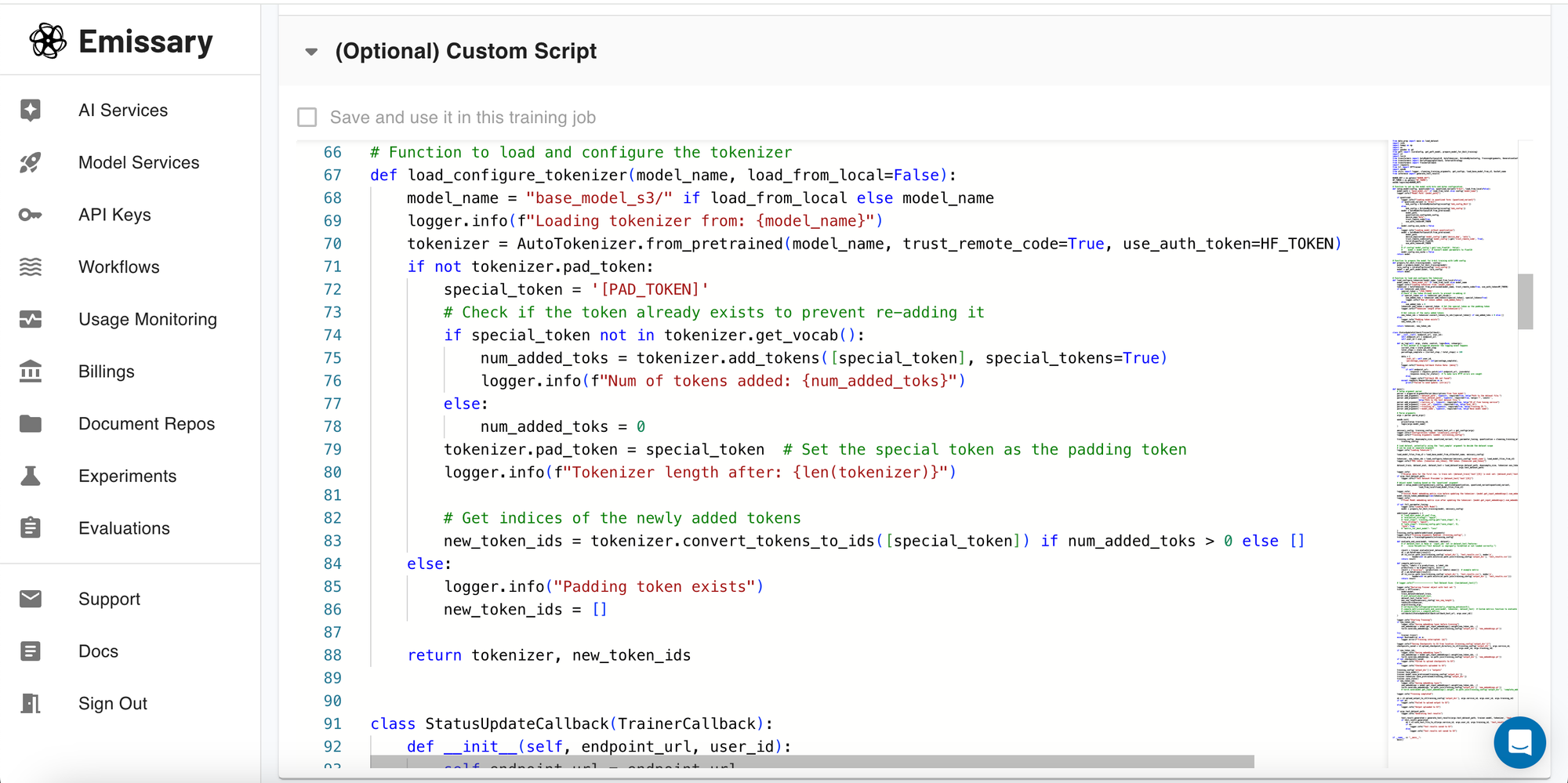
For advanced users, the platform allows editing the training script directly. This feature is designed to provide flexibility in implementing custom learning algorithms or adaptations. If you are unsure about making changes, it's recommended not to alter the script to avoid unintended consequences.
8:Training Execution and Monitoring
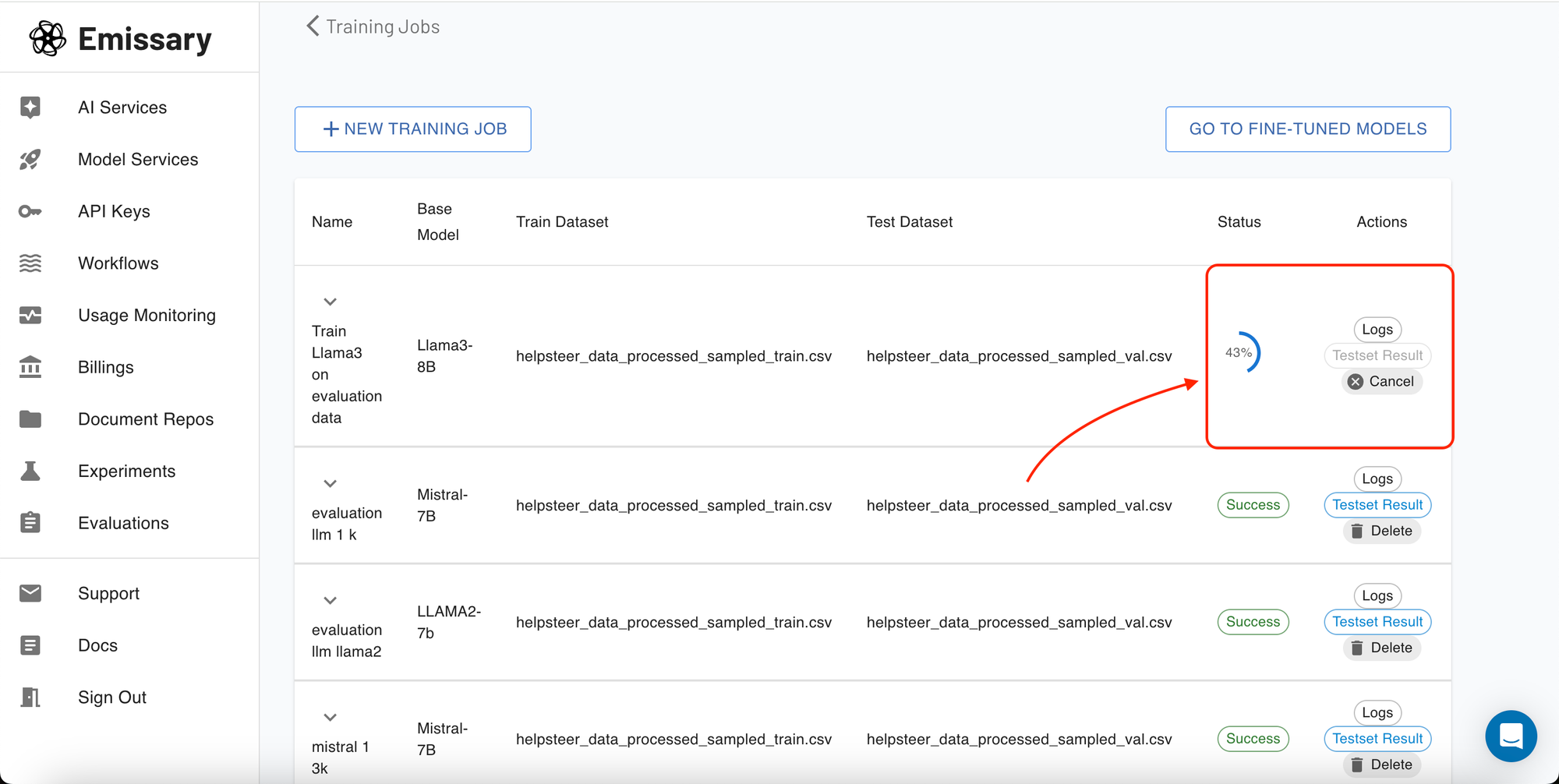
Once your training job is configured and initiated, the platform automatically allocates the appropriate resources, such as an EC2 instance with GPU support, based on the selected model size and parameters. You can monitor the progress directly within the 'Training Jobs' section, viewing logs and performance metrics in real-time.
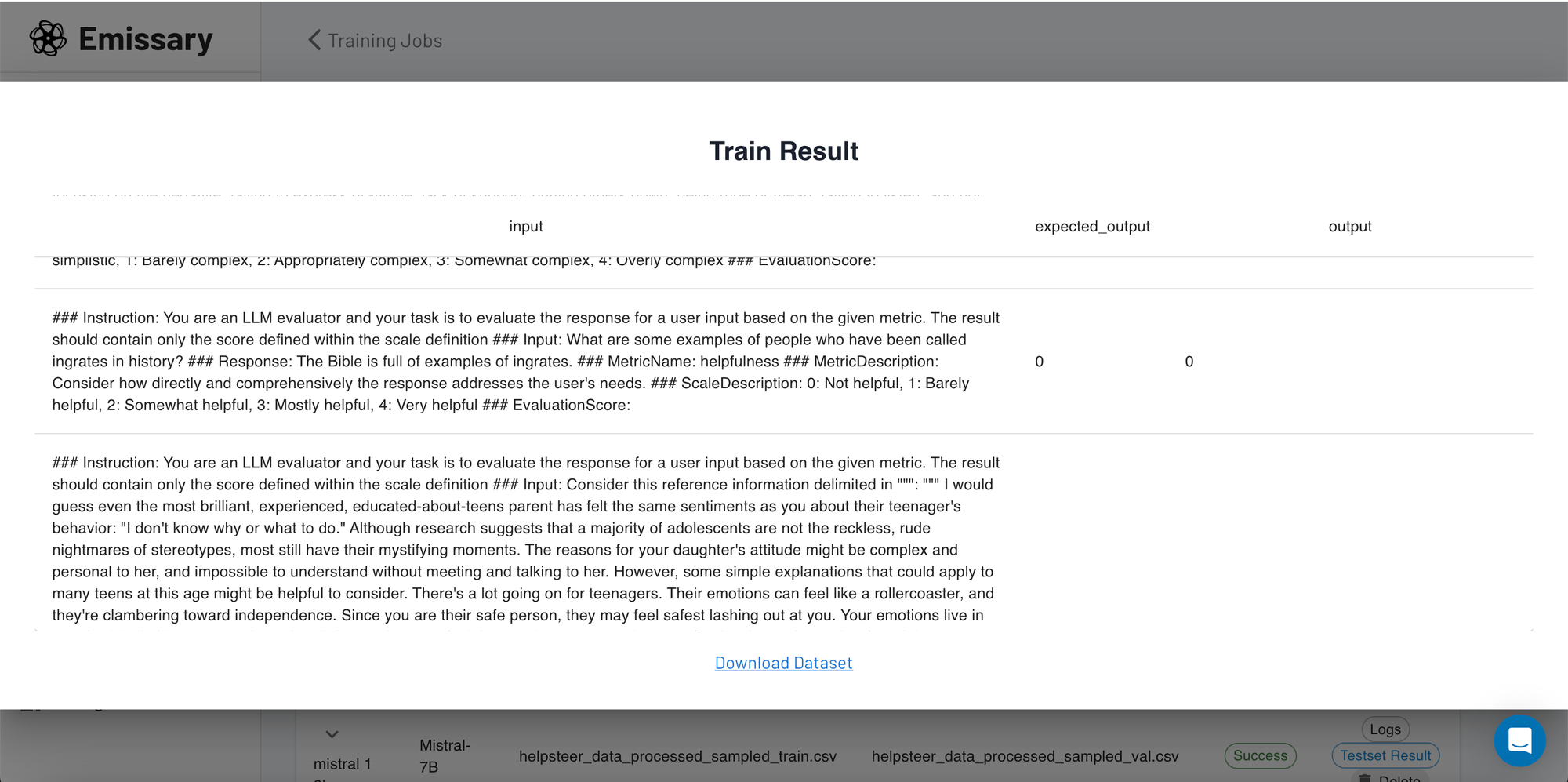
Once the model is trained, you can view your results from your test dataset on the screen and get a brief check on the performance.
Deploying Your Trained Model (Complementary Feature)
Once your model has been fine-tuned and trained, you can easily deploy it directly from the platform. This seamless transition from training to deployment facilitates a quick turnaround for integrating AI capabilities into your applications.
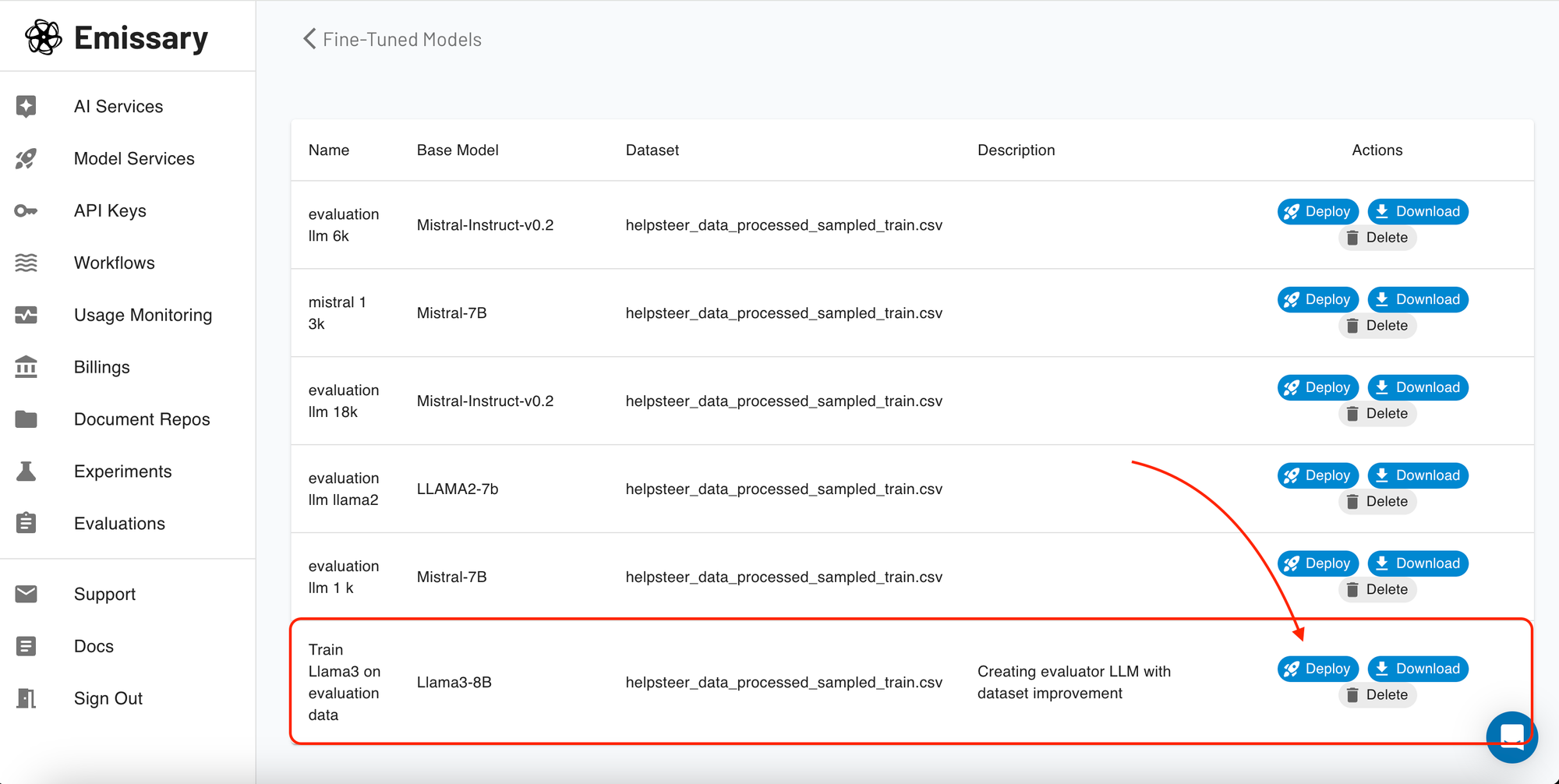
In the 'Fine-Tuned Models' section, you can view all the trained model artifacts. For each model, you have the option to download the model for offline use or deploy it with just a simple click!!
Once clicked, the platform packages your model into a deployable container, which is then hosted on a cloud server, providing you with an API endpoint for easy access and integration. This feature is designed to simplify the way you bring your AI models into production environments.
Testing Your Model
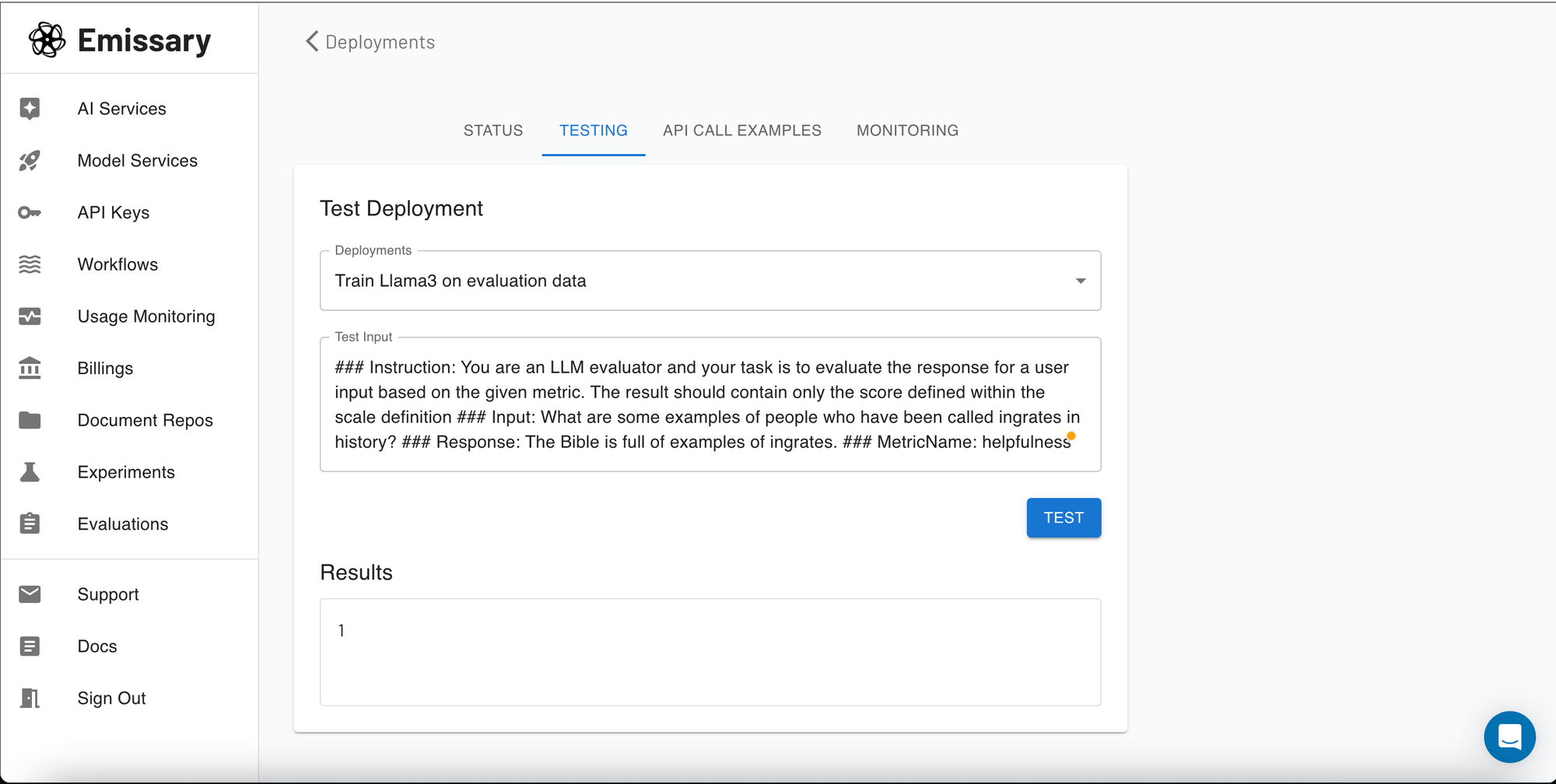
Before full deployment, you might want to test how your model performs with real data. Our platform includes a testing playground where you can input text and see how the model responds in real-time.
Interactive Model Testing
The testing playground is an invaluable tool for immediate, hands-on testing. Simply enter your text and let the model generate outputs. This is perfect for fine-tuning output styles, testing different inputs for consistency, or demonstrating the model’s capabilities in a controlled environment.
Integrating with Your Systems
After testing and deploying your model, the next step is integration. The platform provides an API which you can use to connect the deployed model with your applications.
Demo API Request
The final screenshot shows how to make a demo API request. This section provides you with the necessary API endpoints, request formats, and authentication methods to help you integrate the model's capabilities into your existing systems seamlessly.
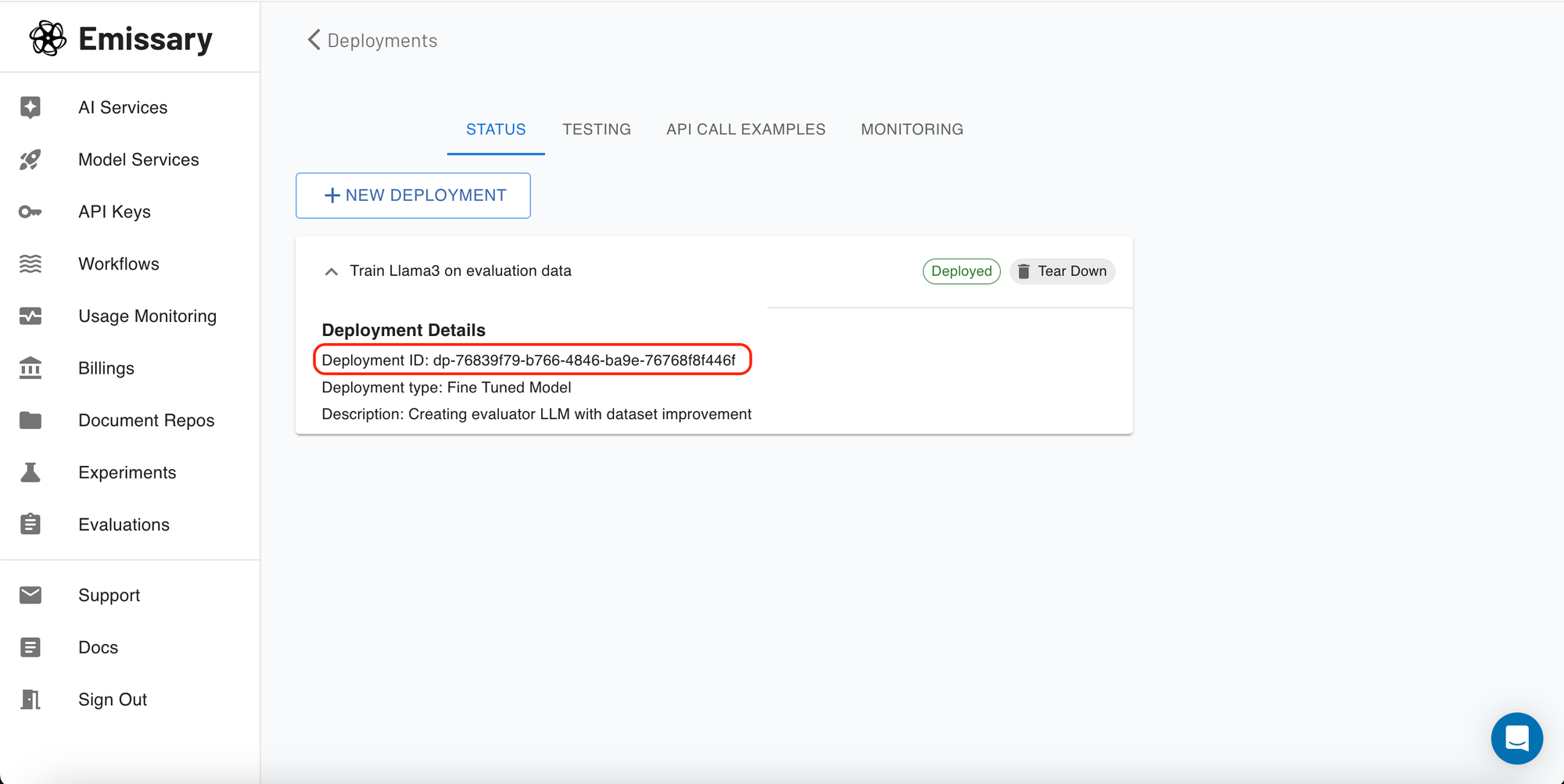
Get the deployment ID from the status section
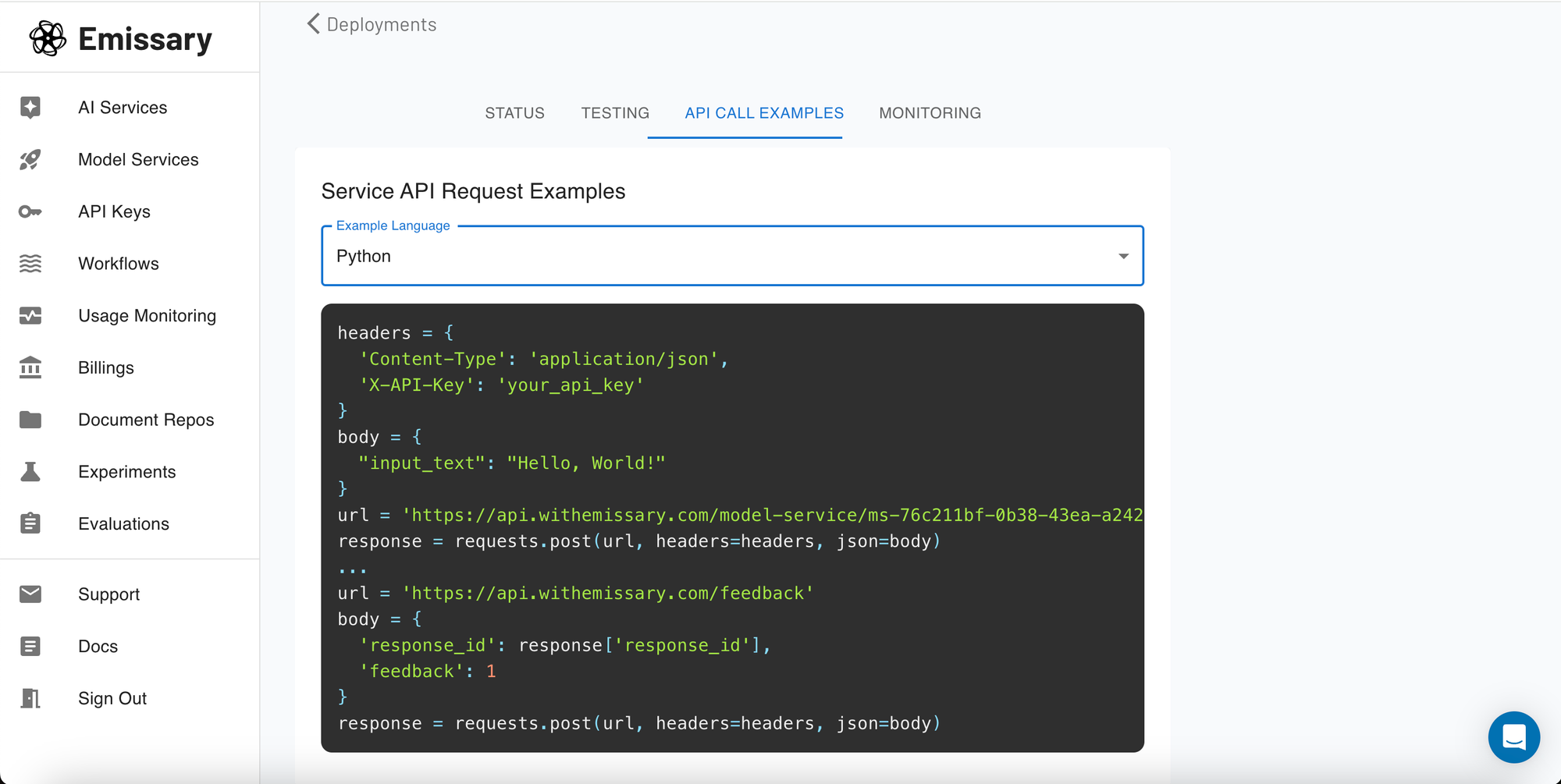
Here, you can copy the API request format and adapt it according to your system's requirements, ensuring a smooth integration process that leverages the power of your newly trained LLama3 model.
Conclusion
Congratulations on completing this guide to fine-tuning LLama3 on Emissary! You are now ready to enhance your models' performance and adapt them to meet specific challenges. Be sure to save your work and regularly revisit your model configurations to optimize further. For any questions or additional support, please contact our help desk.
Appendix
Introduction to LLama3:
LLama3 is an advanced language model developed for NLP tasks. It represents a significant improvement in comprehension and generation of human language, utilizing extensive training data and neural networks.
Key Features and Capabilities:
- Transformer-based architecture for advanced context capture and comprehension.
- Scalable for diverse applications and computational resources.
- Flexible fine-tuning for specialized tasks and knowledge areas.
- Top-tier performance in NLP benchmarks, including text generation, sentiment analysis, and summarization.
Applications:
- Content Generation for various text types from minimal input.
- Enhanced Conversational AI and chatbots.
- Sentiment Analysis for customer feedback.
- Adaptable for multilingual tasks and translation.
Why Fine-Tune LLama3?
Fine-tuning LLama3 allows users to mold the generic capabilities of the model to perform optimally on specialized tasks that are not covered by baseline training. This process involves adjusting the model’s weights specifically to a smaller, more focused dataset, resulting in improved performance on specific tasks without the need to train a model from scratch.
By fine-tuning LLama3, users can leverage the model's inherent capabilities while tailoring it to meet precise requirements, whether it's grasping the subtleties of legal language, generating medically accurate information, or any other specialized use case.
Fine-tuning LLama3 is particularly useful for applications requiring a deep understanding of context in texts, such as legal document analysis, personalized chatbot responses, or complex data interpretation tasks in finance and healthcare.
© 2026 Emissary. All rights reserved.