
Announcement
LLama 3.1 now on Emissary!
29th Jul
4mins
GUIDE
We are thrilled to announce that LLama 3.1 Instruct 8B is now on the Emissary platform!
What's new with LLama 3.1?
- Enhanced context length of 128K tokens, up from 8k in LLama3. This 1600% upgrade allows the models to process much longer input sequences, improving coherence over extended interactions.
- Upgraded multimedia and multilingual support, including languages such as French, German, Hindi, Italian, and Spanish.
- Groundbreaking capabilities in synthetic data generation to train other models, coupled with model distillation to transfer knowledge to smaller, more efficient models.
- Despite the serious upgrades, it still costs $1.5/hr to train LLama 3.1 8B models on Emissary!
Quick Guide: Deploying a LLama 3.1 Chatbot with Emissary
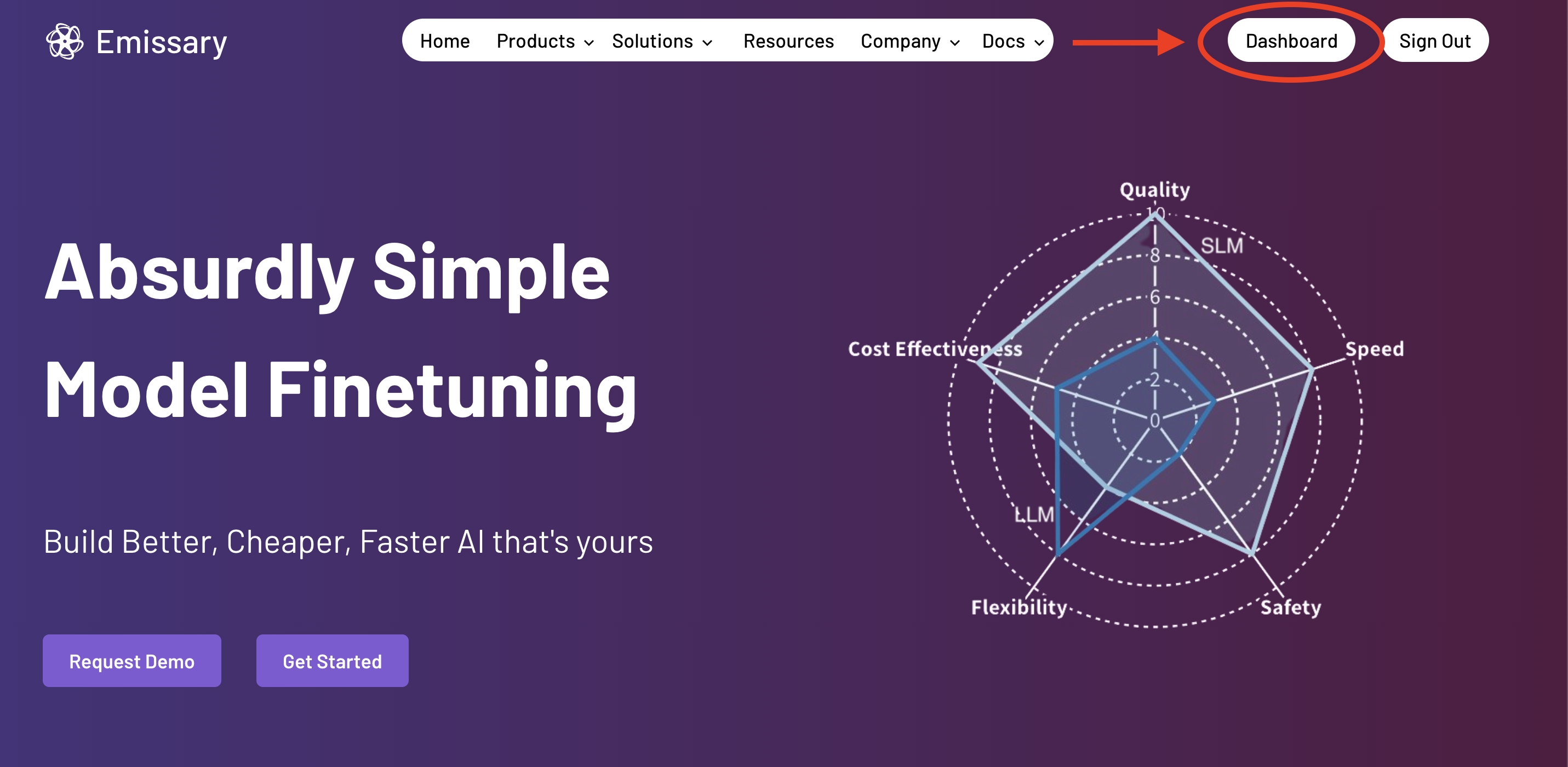
Step 1: Navigating to the Dashboard.
After logging in to Emissary, find and click the Dashboard button on the home page. This is where you'll access "Model Services" to deploy the newly-integrated LLama 3.1.
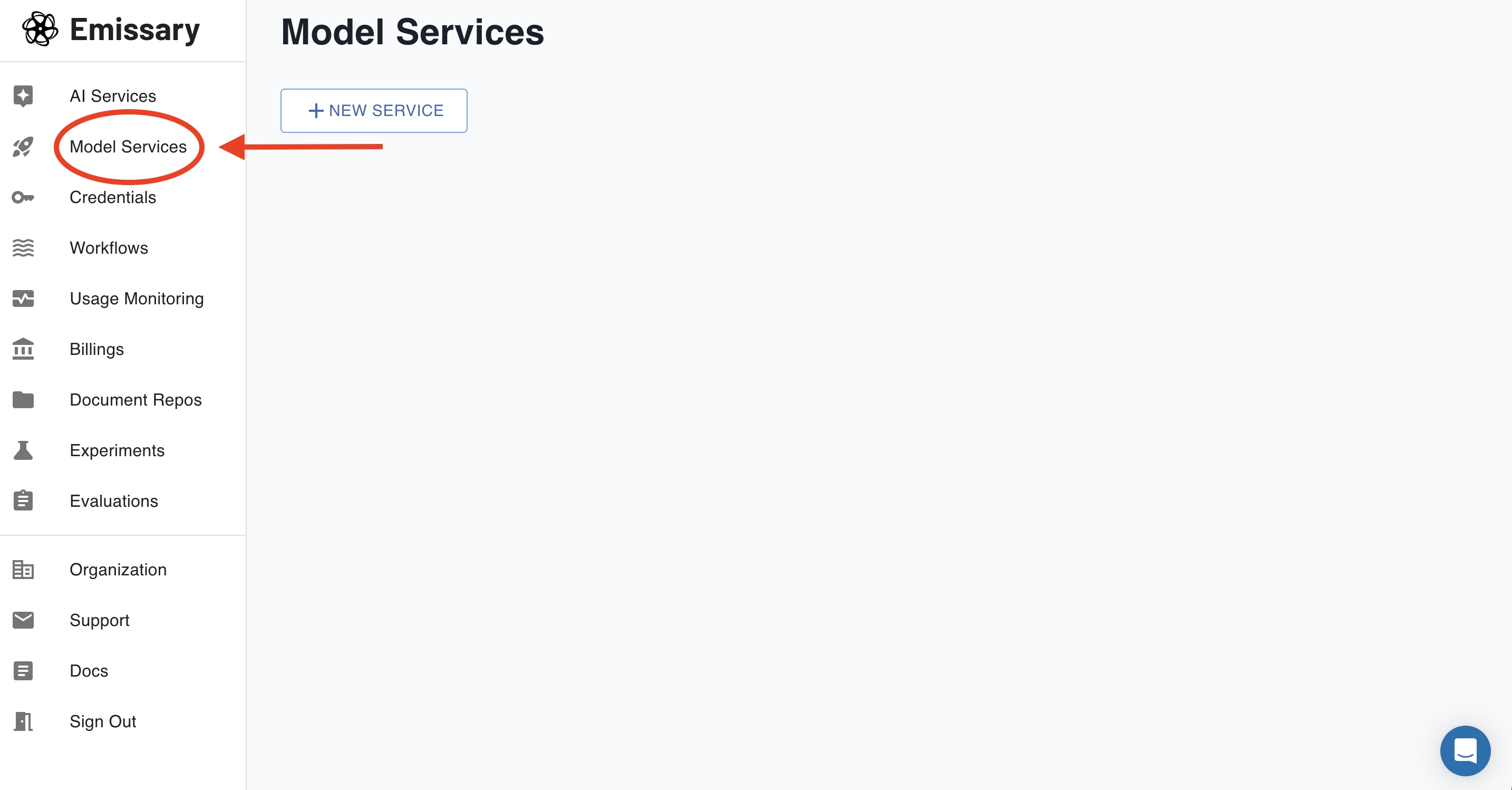
Step 2: Access "Model Services"
The Dashboard serves all features and capabilities on the Emissary platform. Click on "Model Services" to create a new model or manage existing models. In this case, we shall create a new service.
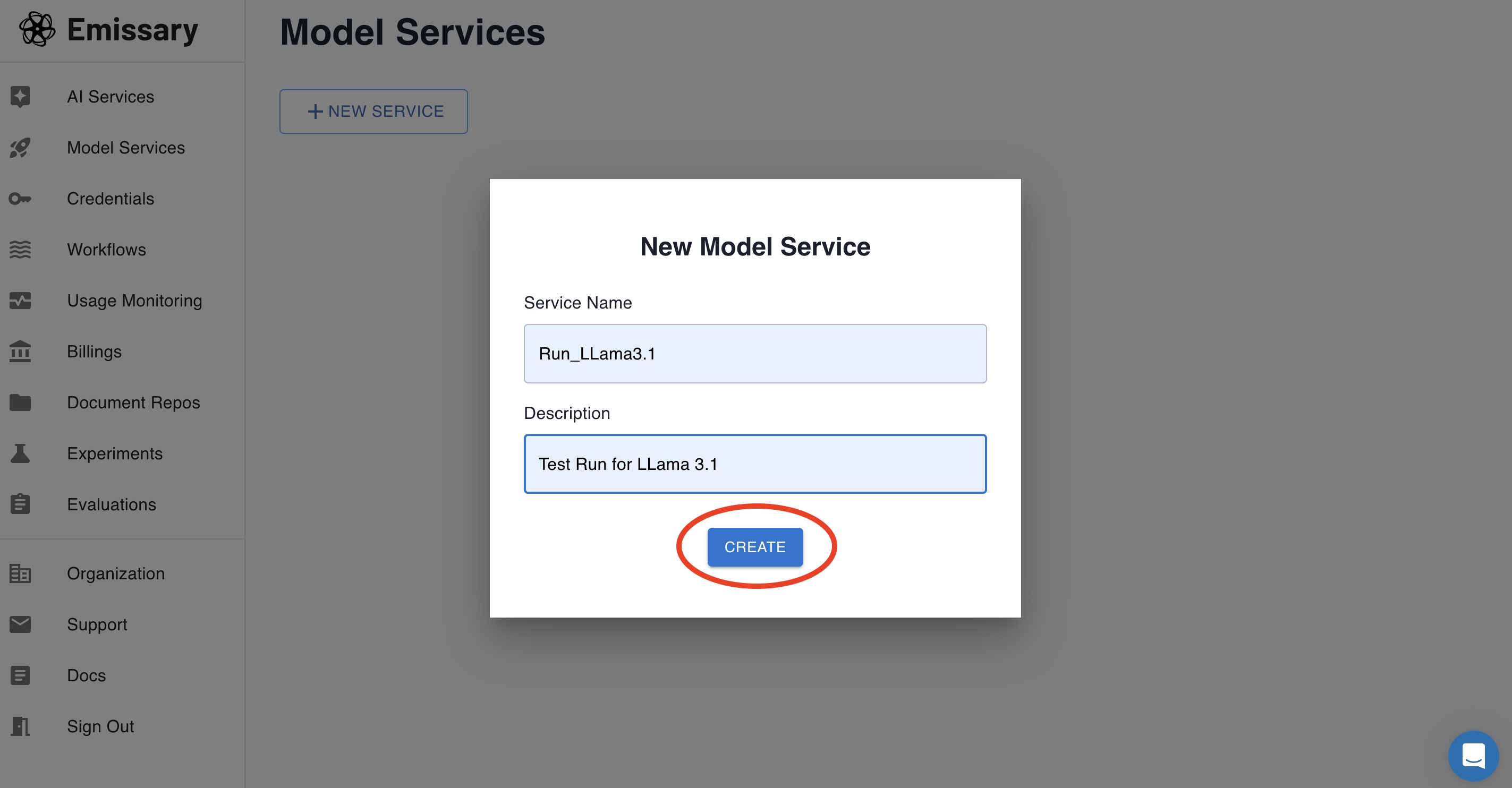
Step 3: Select New Service
Click "+New Service" to name your Service, along with a description. Hit "Create".
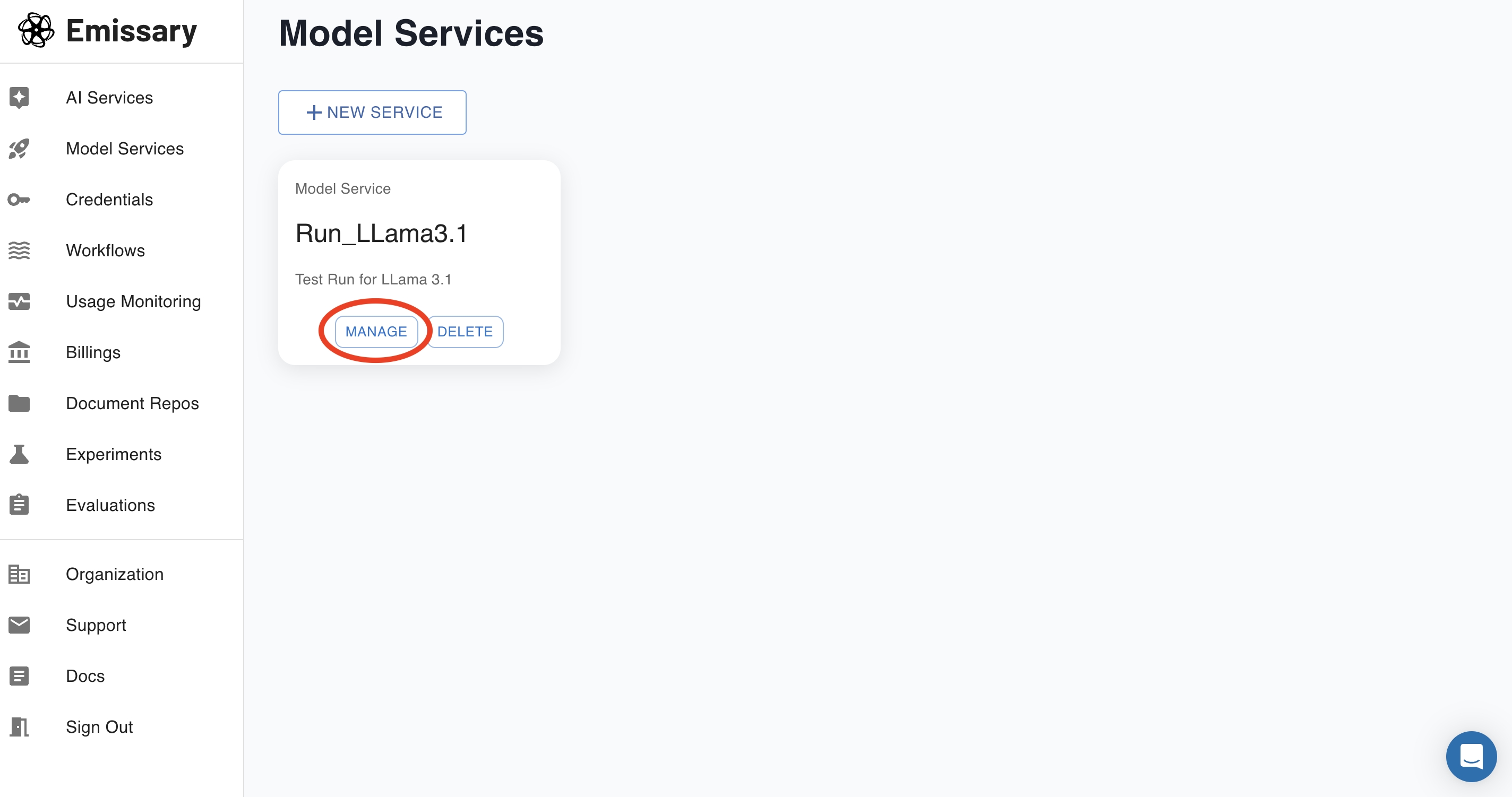
Step 4: Manage your Service.
On hitting "Create", you shall now see your Service as follows. Click "Manage".
Step 5: Project/Service Dashboard
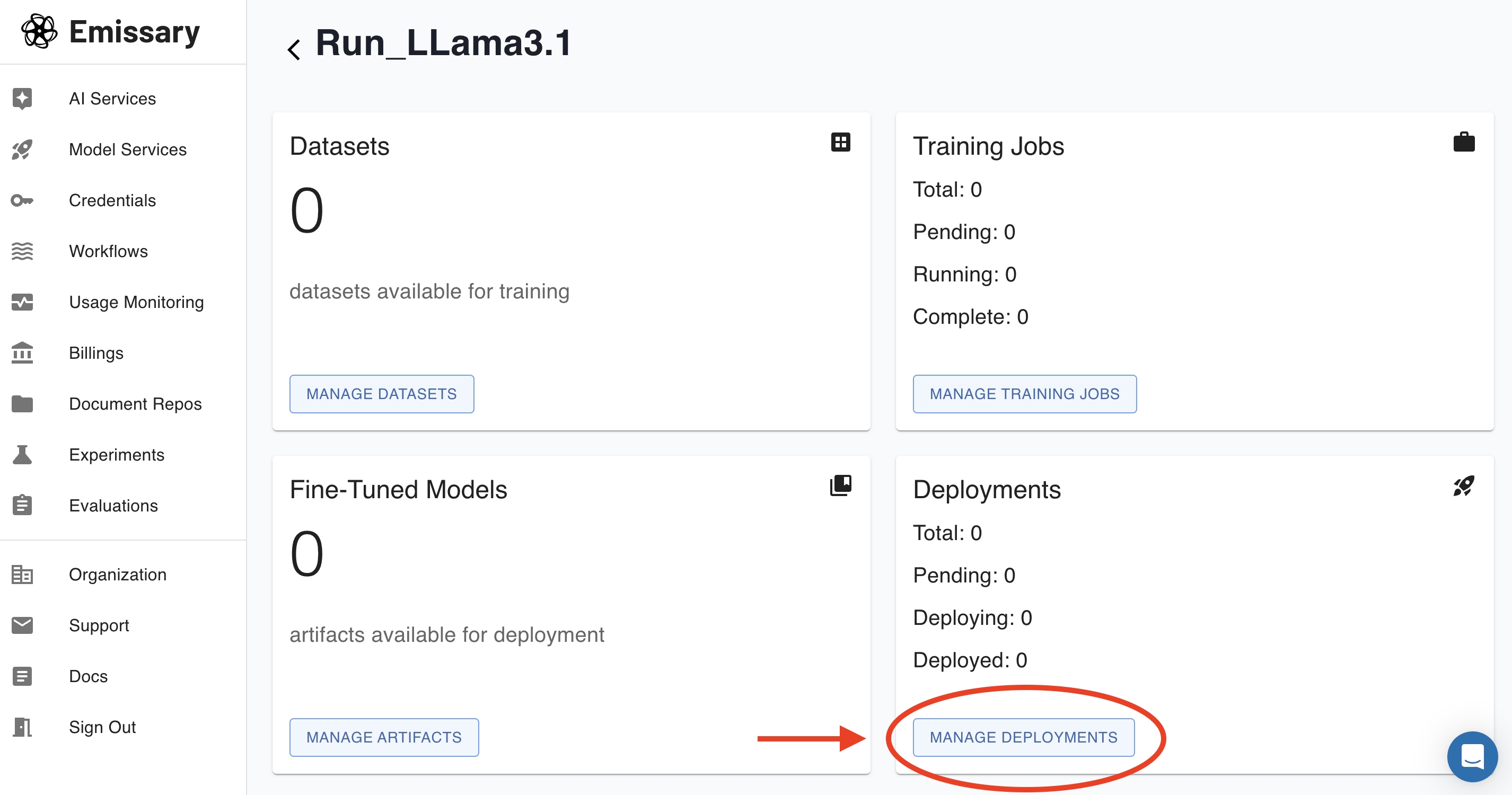
You are now on the Project or Service Control Panel, where you can view versions of your finetuned models, and manage datasets, training jobs, and deployments for the Project/Service. Click "Manage Deployments" as indicated below.
Step 6: New Deployment
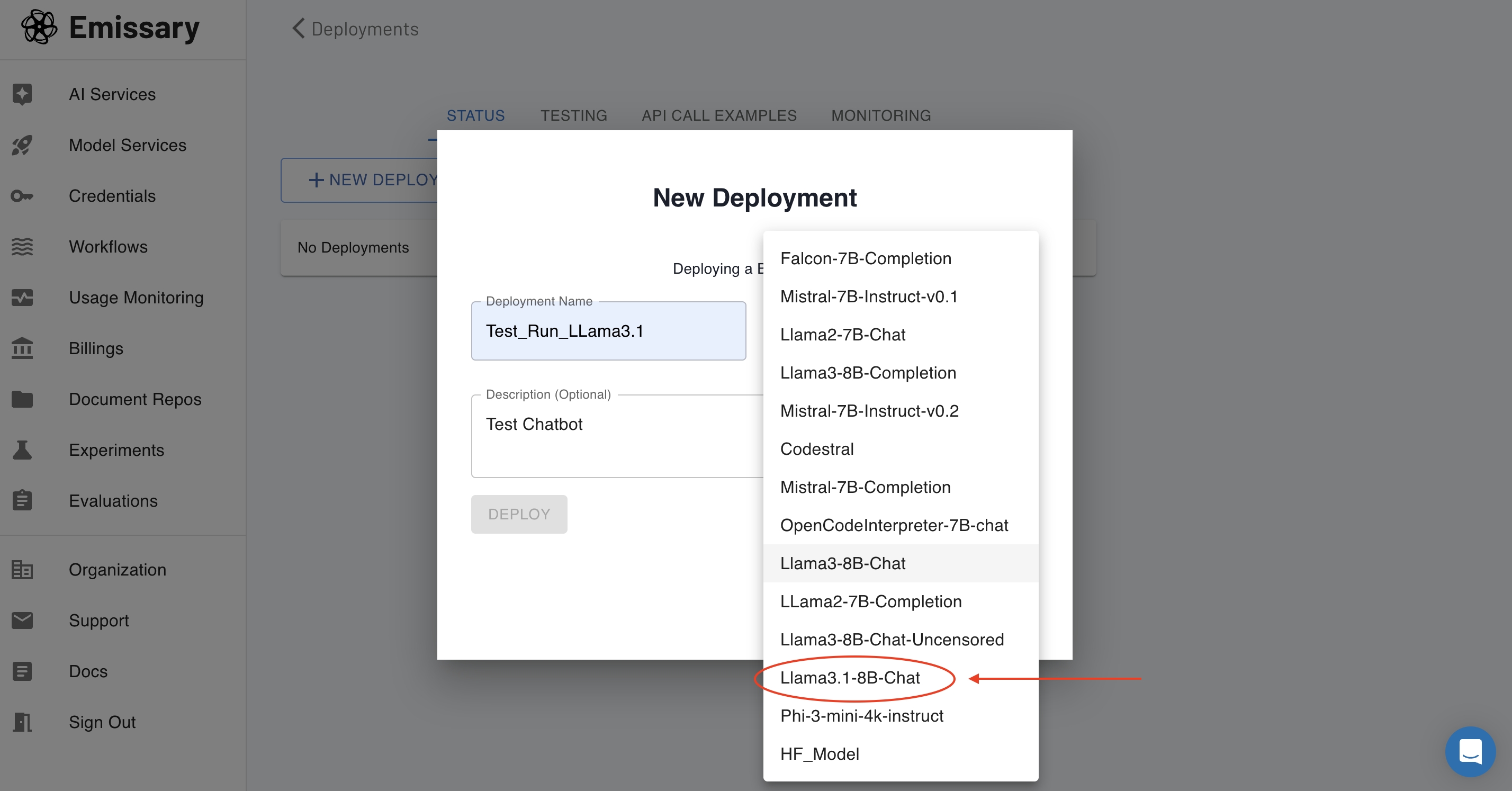
On hitting "+New Deployment", you shall see the following pop-up window that will let you enter a name for your Base Model, along with a description. Most importantly, this is where you can select "LLama 3.1" from our huge selection of model offerings that are integrated into the platform.
Select "LLama3.1-8B-Chat" from the Dropdown, as shown below , and then click "Deploy".
Step 7: "Pending" to "Deployed"
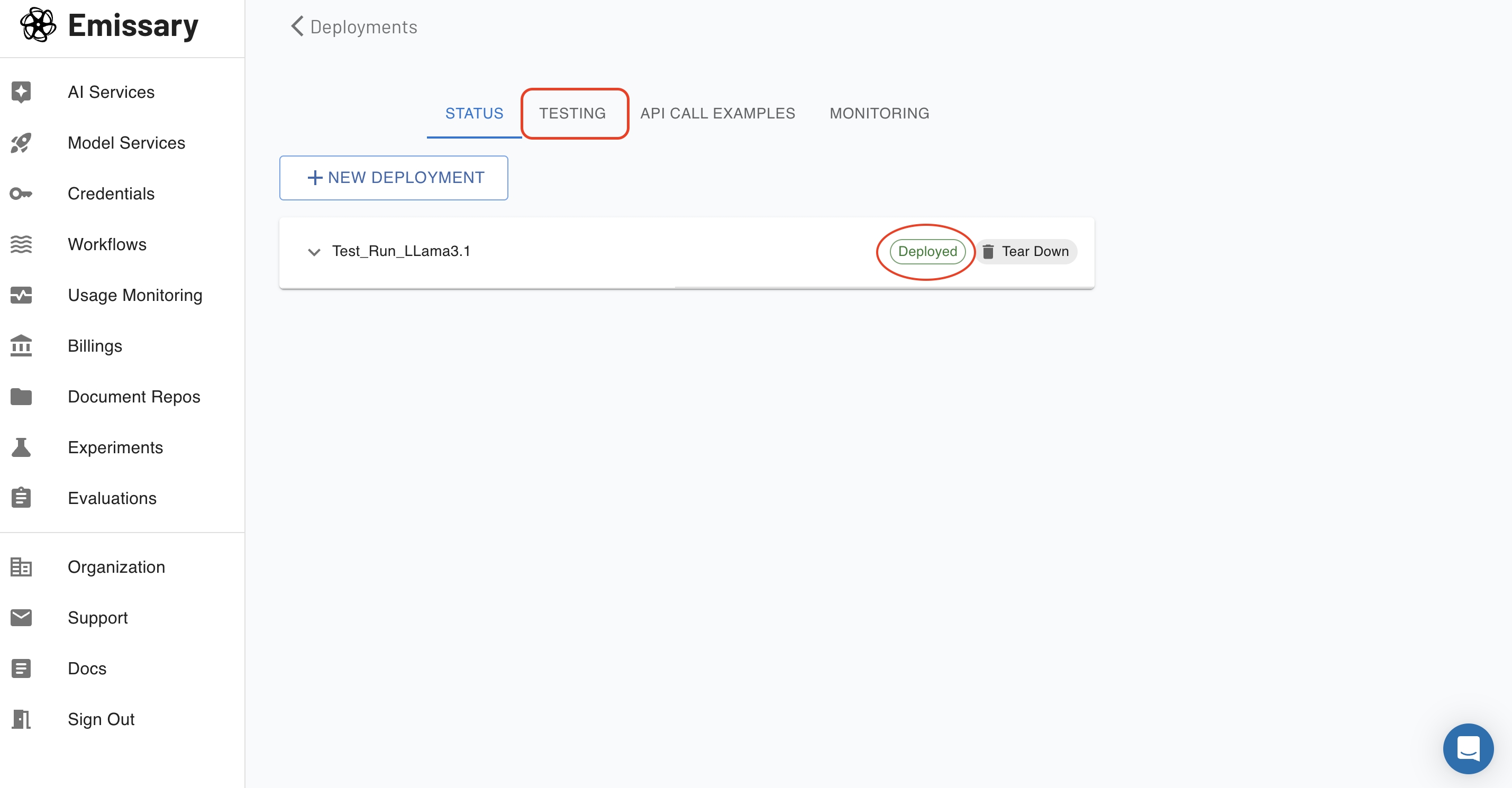
You shall now see your project/service in the "Pending" status, which shall then move to "Deploying" and then finally, to "Deployed" as soon as your model is ready for testing.
Click on the "TESTING" tab at the top to start testing your new LLama 3.1 Chatbot!
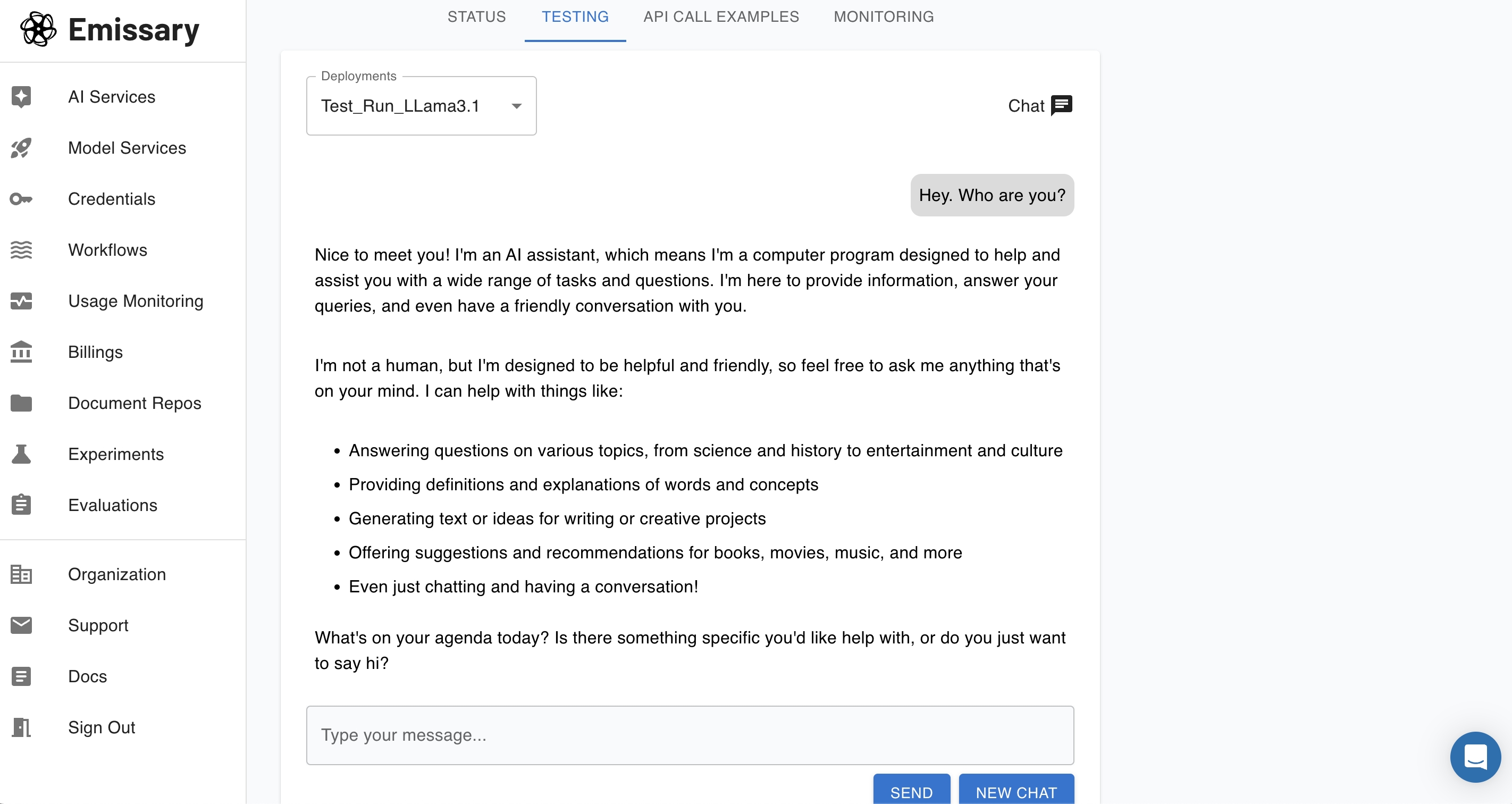
Step 8: The Chatbot!
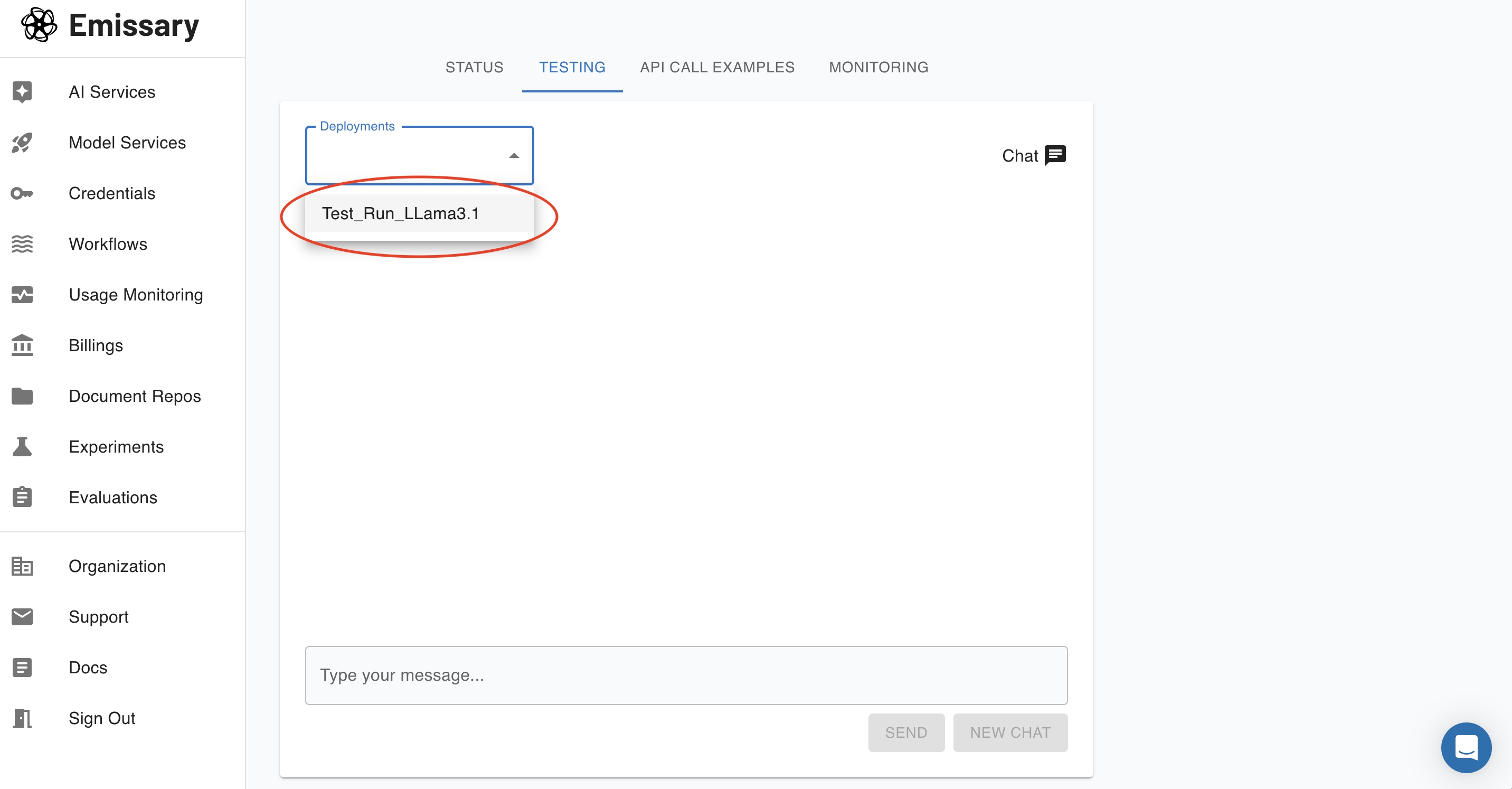
Select your Project/Service - in this case, Test_Run_LLama3.1 - from the "Deployments" dropdown, and you are good to go!
Congratulations on deploying your first LLama 3.1 Chatbot! It's that absurdly simple!
To finetune your LLama 3.1 and deploy your own enterprise-grade AI, contact us today!
© 2026 Emissary. All rights reserved.